
Symptoms of Digital Eye Strain and How to Find Relief

If you've ever felt that dull ache behind your eyes after a long day staring at your computer, you know exactly what digital eye strain feels like. It’s that familiar discomfort that creeps in, sometimes blurring your vision or leaving your eyes feeling tired and gritty. For example, a marketing manager might notice this feeling intensifies around 3 PM after spending the morning analysing spreadsheets and the afternoon in back-to-back video calls.
This isn't a specific disease, but rather a group of symptoms that pop up because of the heavy demands we put on our eyes every single day, compromising our eye health and safety.
What Is Digital Eye Strain and What Does It Feel Like?
Think of digital eye strain as a repetitive strain injury, but for your eyes. Just like your muscles get sore after a tough workout, the tiny focusing muscles in your eyes get fatigued from constantly staring at a close-up screen, deciphering pixelated text, and battling screen glare. This is a critical eye health and safety concern in our digital age.
This has become a huge issue for modern eye health. In fact, it’s one of the most common complaints we hear about.
A Very Common Modern Problem
Digital eye strain is now a major health concern across Australia. A staggering 70% of Australian adults report dealing with its symptoms, and for those in their 20s, that number jumps to 73%. These figures really drive home just how widespread this is in our screen-focused world. You can learn more about the increasing impact of digital devices on eye health to see the bigger picture.
The feeling itself is often a mix of physical discomfort and visual hiccups. That "gritty" sensation, for example, is a classic sign you aren't blinking enough. When you stare at a screen, your blink rate can drop by half, causing the protective tear film on your eye’s surface to dry out. A practical example is a student researching online for hours who suddenly feels like there's sand in their eyes, even though there's nothing there.
Digital eye strain isn’t just about having tired eyes; it’s your body’s direct response to the unnatural visual workout of prolonged screen use. It’s a clear signal that your eyes desperately need a break and some better support to maintain long-term eye health and safety.
Common Symptoms of Digital Eye Strain at a Glance
To help you figure out if what you're feeling is digital eye strain, we've put together a quick summary of the most common symptoms. Being able to recognise these signs is the first real step toward finding relief.
We know everyone’s visual needs are different, which is why we can customize an eye wear package to suit your requirements and tackle these specific issues head-on.
| Symptom Category | Common Examples |
|---|---|
| Eye Discomfort | Dryness, a gritty feeling, itching, or a burning sensation. |
| Vision Problems | Vision that is temporarily blurry or even seeing double. |
| Physical Strain | Headaches, a sore neck, and pain in the shoulders or back. |
| Increased Sensitivity | Being extra sensitive to bright lights or screen glare. |
Seeing these symptoms laid out makes it easier to connect the dots between your screen habits and how your eyes—and body—are feeling.
Recognising the Physical Symptoms of Screen Fatigue
The signs of digital eye strain can be sneaky. They often build up so slowly throughout the day that it’s easy to write them off as just feeling a bit tired or overworked. But these physical signals are your eyes' way of waving a white flag, telling you they’re under too much pressure and need a break.
Learning to spot these specific signs is the first real step toward managing your eye health in a world full of screens. The discomfort usually falls into a few key categories, and each one is directly linked to how we use our digital devices day in, day out.
Persistent Eye Discomfort
One of the most common complaints we hear is a general feeling of eye discomfort that just doesn't seem to go away. This isn’t usually a sharp, sudden pain, but more of a nagging irritation that makes it hard to concentrate and just feel comfortable.
This feeling can show up in a few different ways:
- A burning or itching sensation: Ever find yourself constantly wanting to rub your eyes, especially in the afternoon? That's often a direct result of not blinking enough, which happens when we’re laser-focused on a screen. Less blinking means a drier eye surface, which leads to that irritating burn.
- A gritty feeling: This is the classic "sand in the eye" sensation, even when there's nothing there. It's another tell-tale sign of dryness caused by long periods of unbroken screen time. A practical example is a gamer after a long session who feels a scratchy sensation every time they blink.
- A dull, aching sensation: Think of this as muscle fatigue, but for your eyes. The tiny ciliary muscles inside your eyes are working overtime to hold your focus on a nearby screen for hours. Just like any other muscle in your body, they eventually get tired and sore.
This map breaks down the core feelings that come with screen fatigue.
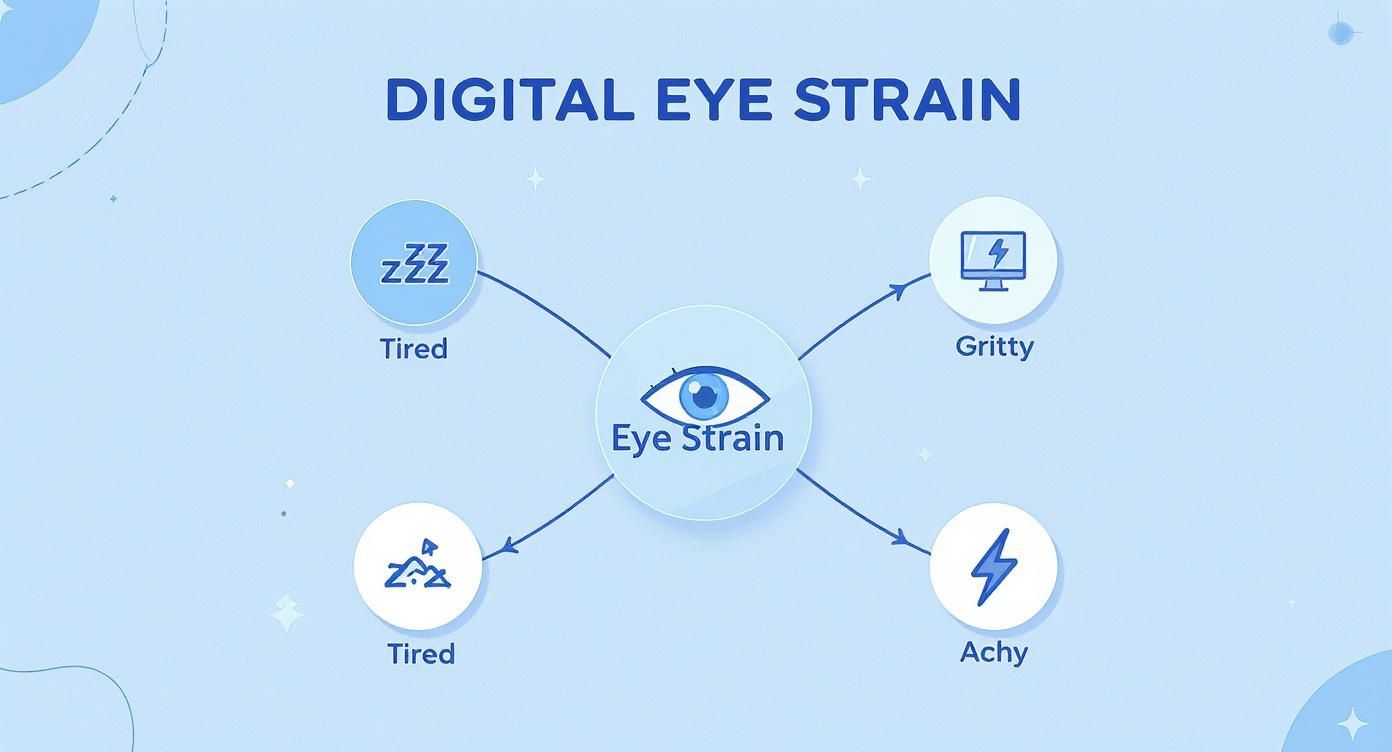
As you can see, the central issue of eye strain branches out into those distinct sensations of feeling tired, gritty, and achy.
Vision Disturbances and Headaches
Beyond just feeling uncomfortable, digital eye strain often messes with your ability to see clearly. These visual problems are usually temporary, but they can be incredibly frustrating and disruptive to your day. When your eye muscles are exhausted, they simply struggle to adjust and work as they should.
For instance, have you ever looked up from your laptop to chat with someone across the room, only to find your vision stays blurry for a few seconds? That’s your eye's focusing system struggling to shift gears from something close (your screen) to something far away. This difficulty in refocusing is a hallmark of eye strain. You might even experience a brief moment of double vision after an intense session of scrolling on your phone.
Headaches are another frequent partner in crime. They’re often described as a dull throb behind the eyes or across the forehead. These tension-style headaches are directly tied to the muscular strain of squinting at a bright screen and forcing your eyes to maintain focus for too long.
On top of the eye issues, screen fatigue can also leave you with a persistent mental fog that makes it hard to concentrate. If you feel like you're fighting to stay sharp, looking into ways to improve mental clarity and focus can be a huge help.
Recognising how all these symptoms are connected is key. Because everyone's visual needs and sensitivities are different, we can customize an eye wear package to suit your requirements, targeting these specific issues to give you meaningful relief.
So, you've noticed the symptoms of digital eye strain, but what's actually happening to your eyes when you stare at a screen? It's more than just the hours you put in; digital screens demand something very different from our eyes compared to reading a printed page. These demands create the perfect storm for discomfort and fatigue.
One of the biggest culprits is something you probably don't even notice: you blink less. A lot less. When you're absorbed in your work or scrolling through your phone, your blink rate can drop by more than half. Blinking is your eye's natural refresh button, cleaning and rehydrating the surface.
Think of your eye’s tear film as a freshly cleaned window, giving you a clear, smooth view. When you forget to blink, it’s like letting dust and grime settle on that window. The result? A gritty, dry, and blurry outlook. This is a massive driver of the eye health issues that come with screen use.
The Battle Against Glare and Blurry Text
Beyond blinking, the screen itself presents some unique challenges for our vision. Screen glare and poor text contrast are two major factors that force your eyes to work much harder than they should, impacting eye health and safety.
-
Screen Glare: Ever tried to work on your laptop in a sunny café? That distracting shine on your screen is glare. It happens when bright overhead lights or a nearby window reflects off your monitor, forcing you to squint and strain your focusing muscles just to see past it.
-
Poor Contrast: Unlike the crisp, solid letters in a book, the characters on a screen are made of tiny pixels. These pixels are brightest at the centre and fade slightly at the edges. This means your eyes are constantly working to maintain focus on text that's never perfectly sharp.
The constant struggle against glare and fuzzy text puts your eye muscles under continuous stress. This sustained effort is a direct cause of the headaches and tired, achy feelings that are so common with screen fatigue.
It's Not Just Your Eyes – Your Setup Matters Too
Finally, how you sit and where you place your screen plays a huge role in your eye comfort. Poor ergonomics isn't just about a sore neck; it directly contributes to eye strain. When a screen is too close, too far, or at the wrong angle, your eyes are forced to compensate, leading to fatigue.
Another part of protecting your vision is managing the type of light hitting your eyes from the screen. Understanding the effects of high-energy visible light can be a game-changer. You can find some great information on the role of blue light filters in reducing this exposure.
Because everyone's workstation and visual needs are different, we can customize an eye wear package to suit your requirements, ensuring your glasses are perfectly optimised for your specific digital life.
Figuring Out Your Personal Risk Factors
While anyone can get digital eye strain, some of us are just more prone to it. A few personal and environmental factors can seriously ramp up your risk, basically lowering the bar for when your eyes start to feel tired and sore. Pinpointing your own risk profile is a huge step toward keeping your eyes healthy.
It's not just about the raw number of hours you're staring at a screen; it's also about how your eyes are working during that time. If you have an uncorrected vision issue, for example, your eyes are already putting in overtime just to see clearly. That creates a baseline of strain that screen time just piles on top of.
Pre-existing Vision and Health Conditions
Think of your eyes' focusing power like a battery. If you're already using up some of that charge to deal with an underlying issue, you're going to run out of juice much faster once you throw a digital screen into the mix.
Here are the key conditions that can put you at higher risk:
- Uncorrected Vision Problems: Things like farsightedness (hyperopia) or astigmatism force your eye muscles to constantly work overtime just to bring things into focus. Add a screen to that, and it's a fast track to exhaustion.
- Wearing Contact Lenses: Contacts are great, but they can mess with your eye's natural tear film. This gets even worse when you're looking at a screen because you blink less often, causing your lenses to dry out. A classic example is that gritty, sandy feeling contact lens wearers get in the afternoon – that's their lenses losing moisture.
It's crucial to realise that even just two hours of continuous screen use is enough to trigger digital eye strain. The average Australian now spends 2.58 hours daily on their mobile phone alone, meaning most are regularly crossing this threshold and putting their eyes at risk. You can read the full research about screen time habits and eye strain to understand the data.
Your Surrounding Environment
Your immediate environment plays a massive role, too. A poorly set-up workspace can be just as tough on your eyes as an uncorrected vision problem, creating small bits of strain that add up all day long.
For instance, the dry air from office air conditioning or heating can make your tears evaporate faster, leaving your eyes feeling parched and scratchy. In the same way, bad lighting that creates glare on your screen forces you to squint and strain just to see properly. Because everyone's eyes and workplace are different, we can customize an eye wear package to suit your requirements, helping you tackle these specific environmental challenges head-on.
Actionable Steps for Immediate Eye Strain Relief
Recognising digital eye strain is a start, but putting that awareness into action is what brings real comfort. You don’t have to overhaul your entire routine—just weave in a few simple habits and you’ll notice your eyes thanking you by day’s end.
To kick things off, try the 20-20-20 rule, which acts like a mini-vacation for your eye muscles and is a cornerstone of digital eye health and safety.

Here’s how it works: every 20 minutes spent glued to a screen, shift your gaze to something 20 feet away for at least 20 seconds. A silent timer on your phone or computer can nudge you to look out a window at a tree, a distant building or any far-off point. These brief pauses let your eye muscles unwind from the constant close-up focus.
Optimise Your Workspace for Eye Safety
A desk that’s off-kilter can force awkward angles on both your eyes and neck. A few quick tweaks will make your setup far friendlier to your vision and posture.
- Monitor Position: Keep your screen about an arm’s length away (roughly 50–65 cm). Tilt the top of the display to sit at—or just below—eye level so you’re looking down slightly.
- Seating and Posture: Choose a supportive chair and plant your feet flat on the floor. Good posture helps fend off the neck and shoulder aches that often tag along with eye strain.
- Lighting Control: Angle your monitor to dodge glare from windows or glaring overhead lights. To prevent eye strain caused by reflections and harsh lighting, consider solutions on how to reduce glare from windows effectively. A matte screen filter can further soften any unwanted shine.
Adjust Your Screen and Your Habits
The right screen settings can spell the difference between comfort and constant squinting. Take a minute to fine-tune them.
- Increase the text size so you’re not straining to read small fonts. A practical example is bumping up the font in your email client from 11pt to 14pt.
- Match your screen’s brightness to your ambient light—your monitor shouldn’t outshine the room.
One of the most overlooked habits is conscious blinking. When we stare at screens, our blink rate can drop by half, leading to dry, gritty eyes. Make a deliberate effort to blink fully and frequently to keep your eyes lubricated and comfortable.
These immediate adjustments can provide significant relief. For more in-depth strategies, our guide on how to reduce eye strain offers additional valuable tips. Because every individual's setup and visual needs are unique, we can customize an eye wear package to suit your requirements, providing a solution that targets your specific sources of discomfort.
When to Seek Professional and Customised Eye Care
While the self-help strategies we've covered can bring fantastic relief, it’s important to realise that a one-size-fits-all approach just doesn't work for eye health. If you've been diligently following the 20-20-20 rule and tweaking your workspace but still feel that nagging discomfort, it’s a clear sign to see a professional.
Lasting relief often means getting a solution built just for your eyes and your lifestyle. Think of it this way: a generic gym workout might get you a bit fitter, but a personal trainer builds a routine based on your specific goals and body for the best results. The same is true for your vision.
Why a Professional Eye Exam Is Crucial
Persistent discomfort, headaches, or blurry vision might be more than just screen fatigue. A comprehensive eye exam is really the only way to be sure there aren't underlying issues making your symptoms worse, ensuring your long-term eye health and safety.
An optometrist can spot conditions like uncorrected astigmatism or farsightedness that are forcing your eyes to work overtime, long before you even turn on a screen. Finding and correcting these is a fundamental first step toward long-term eye health.
A professional eye exam gets you past the temporary fixes. It gives you a precise diagnosis, ensuring any solution you get is tackling the root cause of your discomfort, not just patching over the symptoms.
The Power of a Customised Solution
Everyone’s visual demands are different. A graphic designer staring at fine details all day needs different support than a writer focusing on text, or a student who’s constantly switching between a laptop and physical textbooks. This is where personalisation is absolutely key.
A professional can recommend specific solutions based on what you do every day. For example, if you work under harsh fluorescent office lights, glasses with an advanced anti-glare coating could make a world of difference. For those spending hours coding or writing, lenses that filter a portion of blue light might offer more comfort.
You can dive deeper into how targeted eyewear helps in our guide on glasses for eye strain from computers.
Understanding your unique needs is what we're all about. For this reason, we can customize an eye wear package to suit your requirements, making sure your vision is fully supported no matter how you spend your day.
At Prescript Glasses, we provide quality eyewear designed for your modern life. Upload your prescription from a recognised eye health professional, and we will manufacture glasses to your exact requirements and specifications. Find your perfect pair today.